Table of Contents
Introduction: Computing Hardware as the Foundation of the Digital World
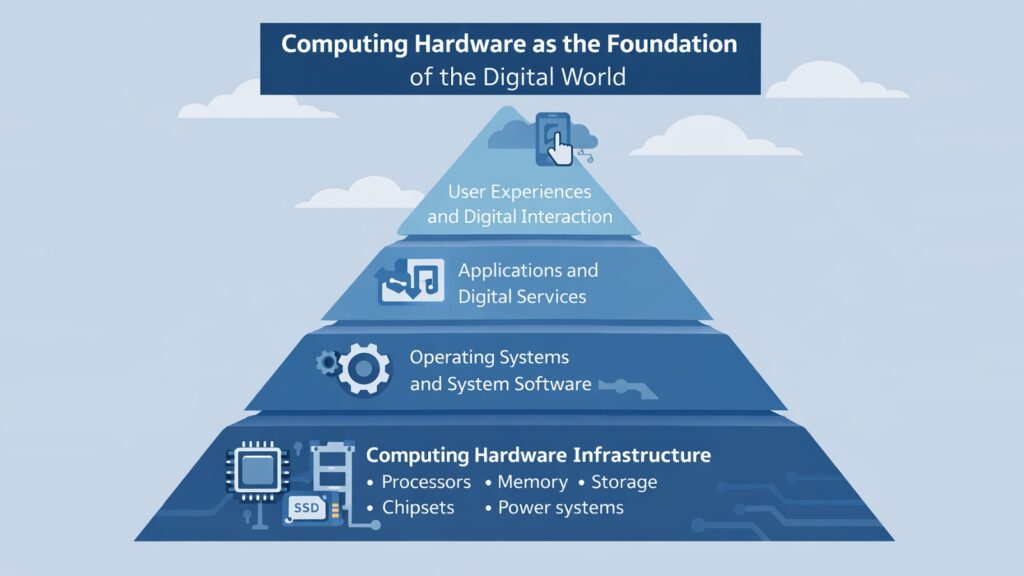
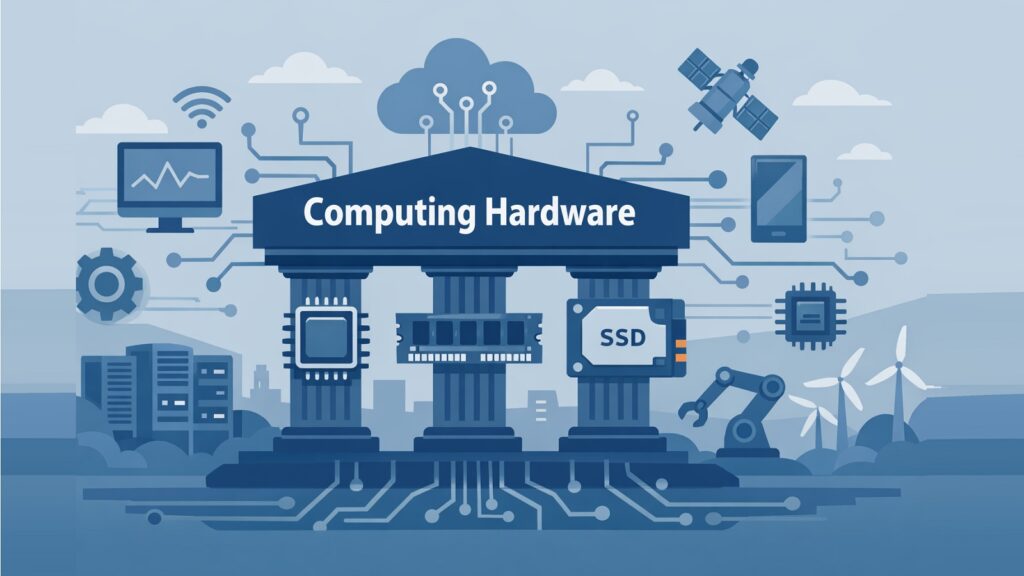
Computing hardware is the physical backbone of the modern digital world. Every device we use — from a smartphone in a pocket to a server rack in a massive data center — depends on a set of real, tangible components to function. Without these components, software would have nothing to run on, networks would have nothing to transmit across, and the entire digital ecosystem that we rely on every day would simply cease to exist.
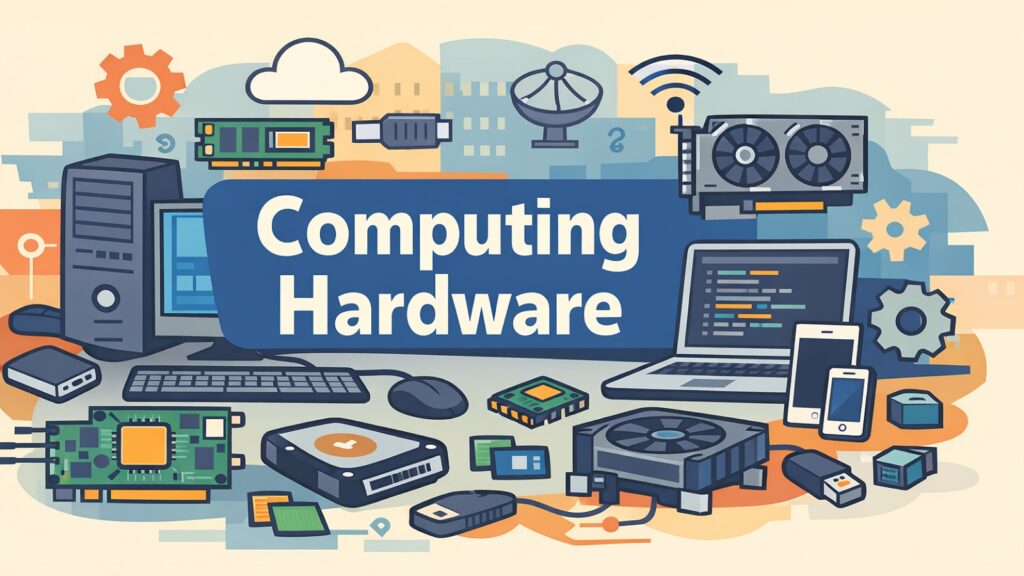
Computing hardware refers to the physical parts that enable software, data, and digital communication to work. It includes processors that perform calculations, memory chips that hold temporary data, storage drives that keep files long-term, and a range of supporting components that tie everything together. Each piece plays a specific role, and each one affects how well a system performs.
This physical layer of modern technology powers everything from simple word processors to cloud infrastructure running global platforms and artificial intelligence systems. When you stream a video, send a message, or run a machine learning model, computing hardware is doing the heavy lifting at every step.
This article explores ten essential hardware components that define modern computing. These are the CPU, GPU, RAM, SSD storage, displays, chipsets, thermal management systems, System-on-Chip designs, motherboards, and power delivery systems. Each one shapes the performance, efficiency, and reliability of modern devices in its own way. Understanding them helps readers appreciate what goes on beneath the surface of every digital interaction.
Table 1: Computing Hardware — 10 Essential Components at a Glance
| Computing Hardware Component | Primary Function |
| CPU (Central Processing Unit) | Executes instructions and coordinates system operations |
| GPU (Graphics Processing Unit) | Handles parallel processing for graphics and AI workloads |
| RAM (Random Access Memory) | Stores temporary data for fast processor access |
| SSD (Solid State Drive) | Provides fast, durable, non-volatile data storage |
| Display | Renders visual output for user interaction |
| Chipset | Manages data flow between CPU, memory, and peripherals |
| Thermal Management System | Removes heat to maintain hardware stability |
| System-on-Chip (SoC) | Integrates CPU, GPU, and other components on one chip |
| Motherboard | Connects and enables communication between all components |
| Power Delivery System | Supplies stable electrical power to all hardware parts |
1. Computing Hardware and the Role of the CPU in System Intelligence
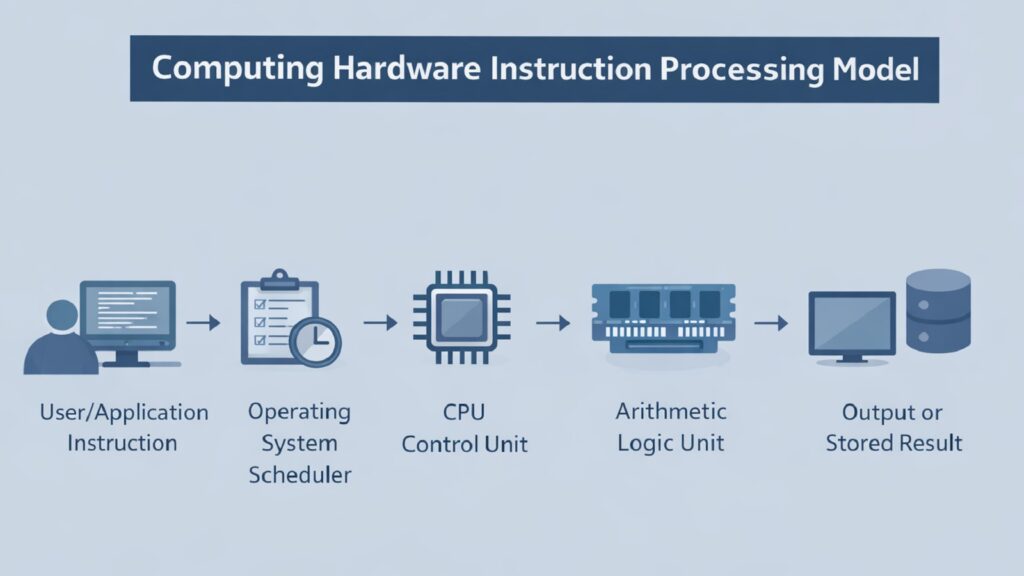
The CPU, or Central Processing Unit, is the primary decision-making component in any computing hardware system. It reads instructions from software, interprets them, and carries out the operations needed to complete tasks. Every calculation, every logical comparison, and every data movement within a system passes through the CPU at some level. It is the core intelligence of the machine.
A modern CPU operates at billions of cycles per second. Each cycle allows the processor to fetch an instruction, decode it, and execute it. High-end CPUs from Intel and AMD can handle multiple instructions simultaneously through a technique called pipelining, and modern chips carry multiple processor cores so that several tasks can be handled at the same time. Intel’s Core i9 series and AMD’s Ryzen 9 series, for example, offer up to 24 physical cores for desktop systems.
The CPU does not work alone. It communicates constantly with RAM to retrieve data it needs in real time. It talks to storage devices when it needs to load files or applications. It also works through the chipset to coordinate signals across the motherboard. The relationship between the CPU and surrounding computing hardware is what enables complex operations like running a video game engine, processing a database query, or training a neural network.
ARM-based architectures, which power most mobile processors, take a different approach from the x86 designs used by Intel and AMD. ARM chips prioritize low power consumption alongside solid performance, which makes them ideal for smartphones and laptops. Apple’s M-series chips, built on ARM architecture, have shown that a well-designed CPU can rival much larger desktop processors while consuming far less energy.
Table 2: Computing Hardware — CPU Key Facts and Specifications
| CPU Attribute | Details |
| Full Name | Central Processing Unit |
| Primary Role | Execute instructions and coordinate system operations |
| Clock Speed Range (2024) | Typically 3.0 GHz to 6.2 GHz for consumer CPUs |
| Core Count (desktop, 2024) | Ranges from 4 cores to 24 cores in mainstream chips |
| Example Manufacturers | Intel, AMD, Apple, Qualcomm, ARM |
| Key Architecture Types | x86-64 (Intel/AMD), ARM (Apple, Qualcomm) |
| Cache Memory Levels | L1, L2, and L3 caches for fast data access |
| Manufacturing Process | Modern CPUs use 3nm to 5nm process nodes |
2. Computing Hardware and the Growing Importance of GPUs
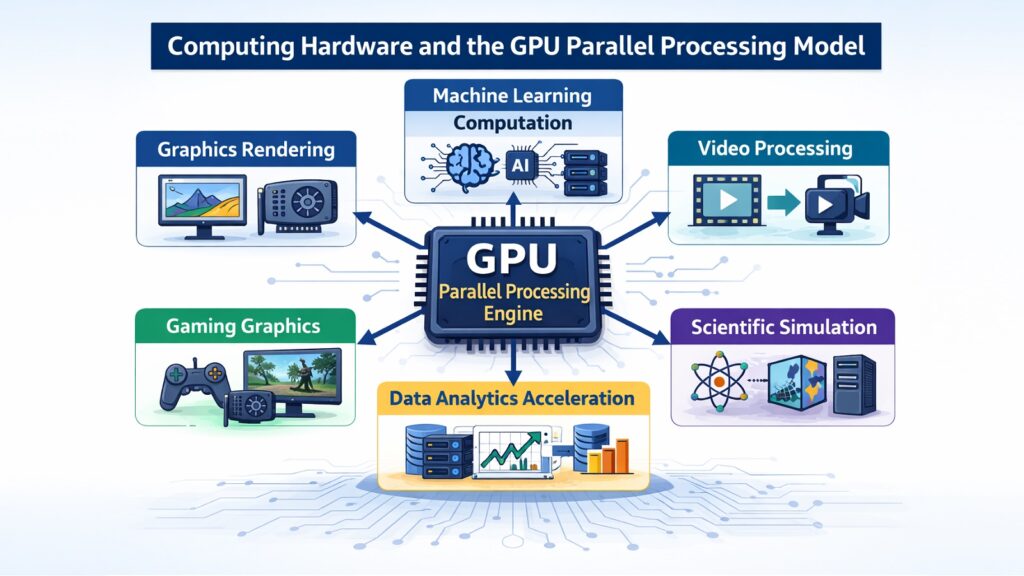
The GPU, or Graphics Processing Unit, started as a specialized chip for rendering images and video on screen. Today it has grown into one of the most important forms of computing hardware in both consumer and enterprise settings. Its ability to handle many operations in parallel has made it central to fields far beyond gaming.
A CPU handles tasks one after another with a small number of powerful cores. A GPU, by contrast, contains thousands of smaller cores that can process many operations at once. This design makes GPUs exceptionally effective at tasks where the same operation must be repeated across large amounts of data. Rendering a scene in a video game involves calculating the color and brightness of millions of pixels simultaneously, and a GPU handles that with ease.
In artificial intelligence and machine learning, GPUs have become indispensable. Training a neural network involves billions of matrix multiplications, and GPUs perform these in parallel at a speed that would take a CPU orders of magnitude longer to achieve. NVIDIA’s H100 GPU, used in AI data centers, can process hundreds of teraflops of operations per second, making it a key piece of computing hardware in the AI industry.
GPUs also support scientific simulation, video transcoding, cryptocurrency mining, and medical imaging analysis. In data centers, GPU clusters power large language models and recommendation engines. At the consumer level, discrete GPUs from NVIDIA’s RTX series and AMD’s Radeon RX line deliver high-resolution gaming performance. GPUs do not replace CPUs but work alongside them, each handling the tasks they are best suited for.
Table 3: Computing Hardware — GPU Key Facts and Use Cases
| GPU Attribute | Details |
| Full Name | Graphics Processing Unit |
| Original Purpose | Real-time rendering of 2D and 3D graphics |
| Core Count (high-end) | NVIDIA H100 has 16,896 CUDA cores |
| Key Use Cases | Gaming, AI training, scientific simulation, video editing |
| Consumer GPU Examples | NVIDIA RTX 4090, AMD Radeon RX 7900 XTX |
| Data Center GPU Examples | NVIDIA H100, AMD Instinct MI300X |
| Memory Type Used | GDDR6, GDDR6X, HBM3 for high-bandwidth tasks |
| Relationship to CPU | Complementary — GPU handles parallel, CPU handles sequential |
3. Computing Hardware and The Critical Function of RAM
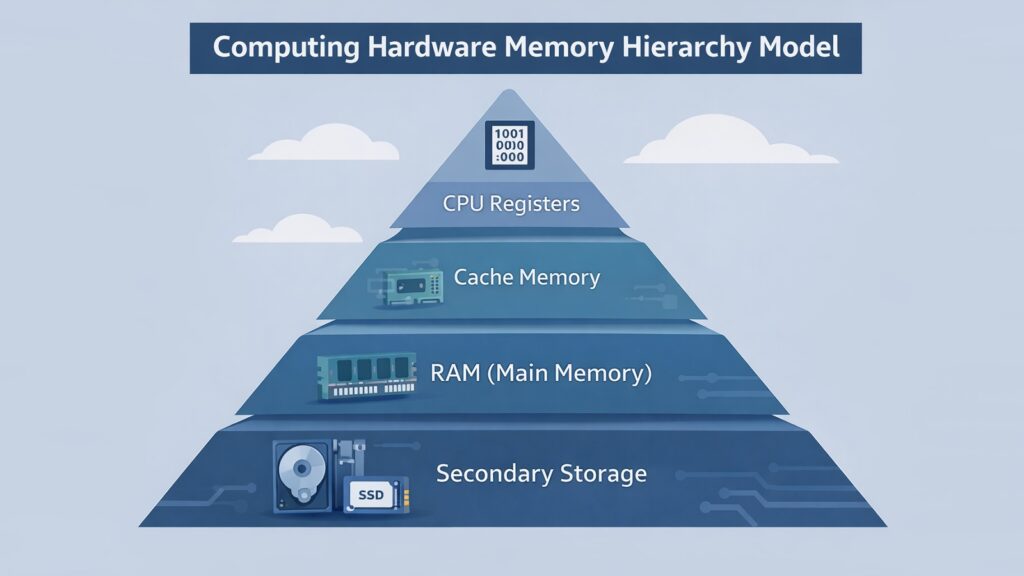
RAM, or Random Access Memory, is the short-term memory of a computing hardware system. When a processor needs to work on data, it retrieves it from storage and loads it into RAM. From there, the CPU can access it almost instantly. This is fundamentally different from reading data from a hard drive or even an SSD, which takes significantly more time.
The amount of RAM in a system determines how much data can be kept close to the processor at any given moment. If a computer only has 4 GB of RAM, it struggles when running multiple applications at once because it must swap data in and out of slower storage repeatedly. With 16 GB or 32 GB of RAM, modern computers handle multitasking smoothly, and applications load faster.
RAM technology has continued to evolve. DDR4 became the standard for consumer systems through much of the 2010s and early 2020s. DDR5, which began appearing in consumer hardware in 2021, offers roughly twice the bandwidth of DDR4 at the same or higher speeds. DDR5 memory runs at base speeds starting around 4800 MT/s compared to DDR4’s standard 3200 MT/s. Servers often use ECC RAM, which includes an error-correcting code to detect and fix data corruption in real time.
RAM is volatile memory, which means all data stored in it disappears when the system loses power. This is why storage drives are necessary alongside RAM. The two components serve different purposes and work together to keep a system both fast and persistent. The balance between sufficient RAM and fast storage defines much of what users experience as system responsiveness.
Table 4: Computing Hardware — RAM Key Facts and Specifications
| RAM Attribute | Details |
| Full Name | Random Access Memory |
| Primary Role | Temporary high-speed data storage for processor access |
| Common Consumer Types | DDR4, DDR5 |
| DDR4 Standard Speed | 3200 MT/s (megatransfers per second) |
| DDR5 Base Speed | 4800 MT/s, with kits reaching 7200+ MT/s |
| Typical Desktop Range | 8 GB to 128 GB depending on use case |
| Server RAM Type | ECC RAM for error correction in critical systems |
| Volatility | Data is lost when power is removed |
4. Computing Hardware and the Evolution of SSD Storage
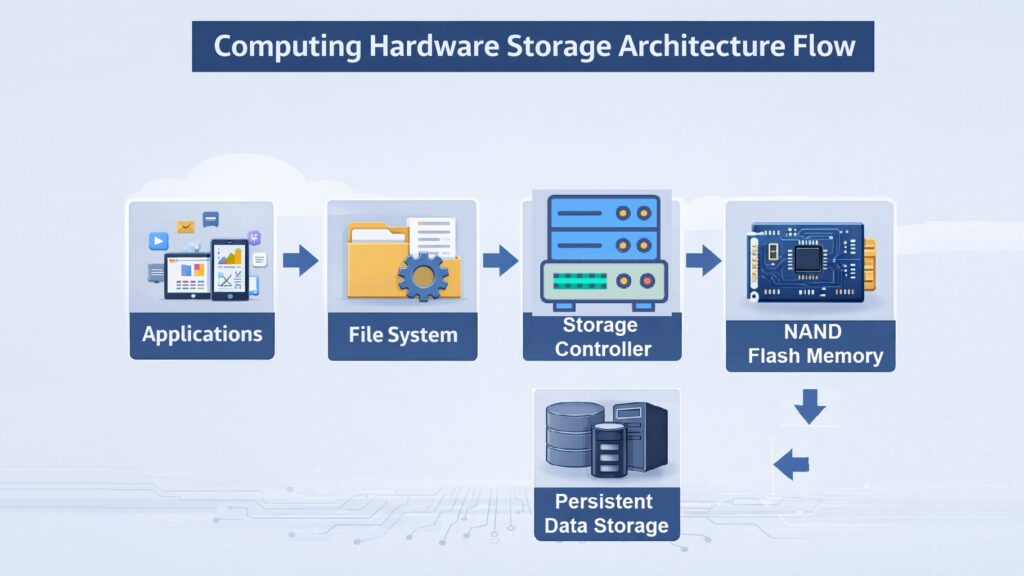
For decades, spinning hard disk drives were the default long-term storage option in computing hardware. They stored large amounts of data affordably but were slow, fragile, and power-hungry. Solid State Drives changed that picture fundamentally. By storing data on flash memory chips with no moving parts, SSDs brought a speed improvement that transformed how systems operate.
A typical mechanical hard drive reads data at around 100 to 150 megabytes per second. A SATA SSD reaches around 500 to 550 MB/s. But NVMe SSDs, which connect directly to the CPU through the PCIe interface, reach read speeds of 3,500 MB/s to over 7,000 MB/s on the fastest consumer drives. The Samsung 990 Pro and Western Digital Black SN850X, for example, offer sequential read speeds around 7,450 MB/s. That kind of performance means operating systems load in seconds and large game files transfer almost instantly.
SSDs also offer better durability. Since there are no spinning platters or read/write heads, they are far less likely to suffer mechanical failure from physical shock. They consume less power, which extends battery life in laptops and lowers energy costs in data centers. Cooling requirements are also reduced compared to high-performance hard drives.
In enterprise and cloud environments, SSDs have become the standard storage medium. Data centers rely on NVMe SSDs to support fast database queries, virtual machine snapshots, and high-throughput workloads. Consumer SSDs have made the installation of operating systems and applications nearly instantaneous. The shift from mechanical drives to SSDs represents one of the most meaningful performance jumps in recent computing hardware history.
Table 5: Computing Hardware — SSD Key Facts and Specifications
| SSD Attribute | Details |
| Full Name | Solid State Drive |
| Storage Medium | NAND flash memory chips |
| SATA SSD Read Speed | Approximately 500–550 MB/s |
| NVMe SSD Read Speed | 3,500 MB/s to over 7,000 MB/s |
| HDD vs SSD Power Use | SSDs use 2–3W vs HDD at 6–10W for 3.5-inch drives |
| Durability Advantage | No moving parts — more resistant to physical shock |
| Enterprise Use Case | Database storage, virtual machines, high-throughput workloads |
| Leading Consumer Models (2024) | Samsung 990 Pro, WD Black SN850X, Seagate FireCuda 530 |
5. Computing Hardware and the Role of Displays in Human Interaction
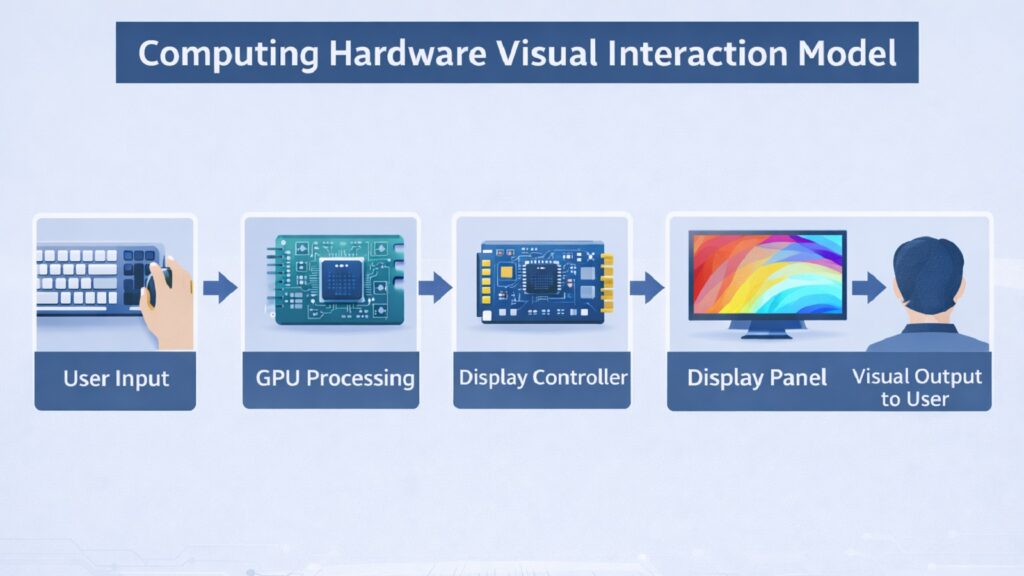
The display is the piece of computing hardware that connects users visually to everything happening inside a system. Without it, the computational work of a processor, the speed of memory, and the efficiency of storage would be invisible. Displays translate raw data into images, text, and video that humans can understand and interact with.
LCD panels dominated the market for many years and remain widely used today. They work by shining a backlight through liquid crystal layers and color filters to produce an image. OLED displays, which have grown significantly in smartphones and premium laptops, work differently. Each pixel in an OLED panel emits its own light, which means true black can be displayed by simply turning off those pixels. This results in higher contrast ratios and more vivid colors compared to most LCD screens.
Refresh rate is another key aspect of display technology. A standard screen refreshes 60 times per second, or 60 Hz. Gaming monitors now commonly offer 144 Hz, 165 Hz, or even 360 Hz refresh rates, which produces smoother motion and reduces input lag. This matters both in competitive gaming and in content creation where smooth playback is important.
Resolution has also advanced steadily. 4K displays, with 3840 by 2160 pixels, are now common on high-end monitors and televisions. Some professional displays reach 8K resolution. In the laptop market, displays with high pixel density make text and images look sharper and reduce eye strain during long work sessions. Emerging technologies like micro-LED and mini-LED are pushing display capabilities further in terms of brightness, efficiency, and color accuracy.
Table 6: Computing Hardware — Display Technology Key Facts
| Display Attribute | Details |
| Common Display Types | LCD, OLED, AMOLED, mini-LED, micro-LED |
| Standard Refresh Rate | 60 Hz for typical consumer use |
| High-Refresh Gaming Monitors | 144 Hz, 165 Hz, 240 Hz, 360 Hz options available |
| Full HD Resolution | 1920 x 1080 pixels |
| 4K Resolution | 3840 x 2160 pixels |
| OLED Advantage | True black via per-pixel light emission; higher contrast |
| Mini-LED Use | High local dimming zones for improved HDR on LCD panels |
| Professional Display Color | Wide color gamut coverage for accurate color work (DCI-P3) |
6. Computing Hardware and the Importance of Chipset Design
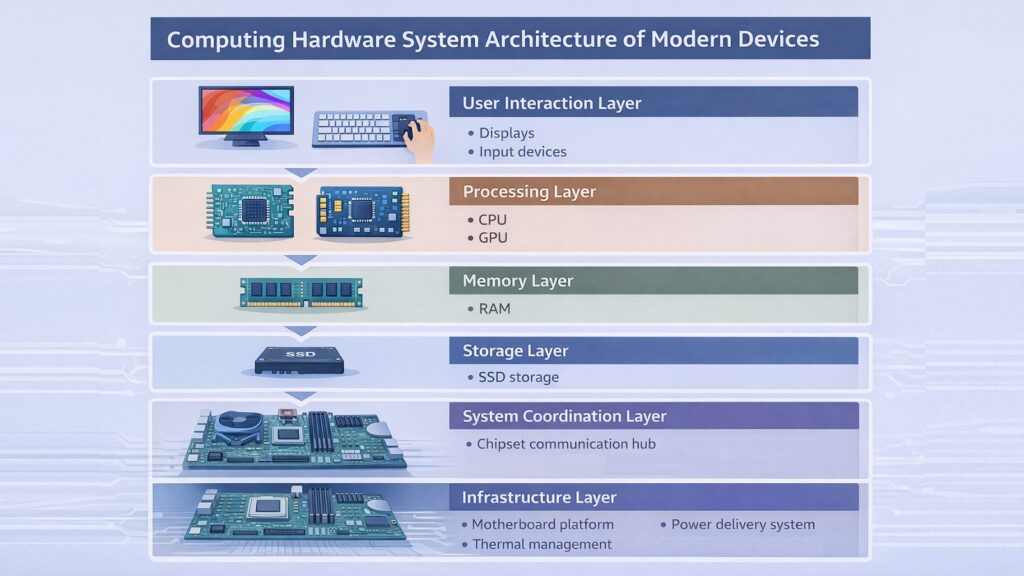
A chipset is a group of electronic components built into the motherboard that manages communication between the CPU, memory, storage, and other devices connected to the system. While the CPU handles processing, the chipset serves as the traffic controller for data moving around the rest of the computing hardware. Its design determines how well different parts of the system talk to each other.
Modern chipsets are divided into segments that pair with specific processors. Intel and AMD both release chipset families that align with their current CPU generations. Intel’s Z790 chipset, for example, supports 12th and 13th generation Core processors on the LGA1700 socket. AMD’s X670E chipset supports Ryzen 7000 series processors on the AM5 platform. Each chipset defines which memory speeds are supported, how many USB and storage ports are available, and whether overclocking is possible.
The chipset directly influences connectivity options. It determines the number of PCIe lanes available for graphics cards and expansion cards, the number of USB ports including high-speed USB 3.2 and USB4 connections, and whether features like Thunderbolt or Wi-Fi are natively supported. For system builders and enterprise buyers, chipset selection is as important as processor selection because it defines the upper limits of what a system can do.
In mobile and low-power computing hardware, chipset design has been absorbed into the SoC model, where everything is on one chip. But in desktop and server environments, the chipset remains a distinct and critical component. Server-grade chipsets handle additional features such as support for multiple CPUs, error-correcting memory, and enterprise storage interfaces.
Table 7: Computing Hardware — Chipset Key Facts
| Chipset Attribute | Details |
| Primary Role | Manages communication between CPU, RAM, storage, and I/O |
| Intel Example (2024) | Intel Z790 supports 12th/13th Gen Core CPUs on LGA1700 |
| AMD Example (2024) | AMD X670E supports Ryzen 7000 series on AM5 socket |
| PCIe Lanes | Chipsets manage PCIe bandwidth for GPUs and NVMe drives |
| USB Support | Modern chipsets include USB 3.2 Gen 2×2 and USB4 |
| Overclocking Support | Only higher-tier chipsets (Z/X series) allow CPU overclocking |
| Server Chipsets | Support multi-CPU configs, ECC memory, and high PCIe lane counts |
| Mobile Chipsets | Often integrated into SoC for compactness and power efficiency |
7. Computing Hardware and the Need for Effective Thermal Management
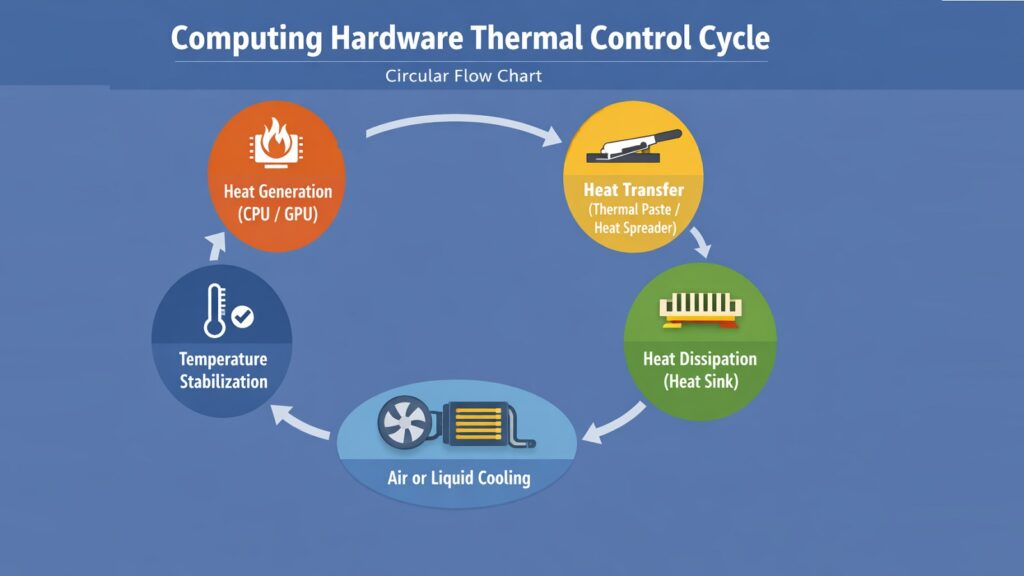
Heat is one of the primary threats to computing hardware. When a processor or GPU operates under load, it draws power and generates heat as a byproduct. If that heat is not removed efficiently, temperatures rise, performance degrades through a process called thermal throttling, and in severe cases, components can be permanently damaged. Thermal management is the set of strategies and hardware components that prevent these outcomes.
The most basic thermal solution is a heat sink — a block of metal, usually aluminum or copper, attached directly to a processor. The heat sink conducts heat away from the chip and dissipates it into the surrounding air. When combined with a fan, this airflow carries heat out of the system faster. Most desktop and laptop CPUs come with a stock cooler, though high-performance systems often use larger aftermarket coolers to manage greater heat loads.
Liquid cooling has become increasingly common in high-performance computing hardware. All-in-one liquid coolers use a pump, a radiator, and coolant to transfer heat away from the processor. The coolant absorbs heat at the CPU block, carries it through tubes to the radiator, and dissipates it using fans. Custom liquid cooling loops expand on this by including GPUs and other components in the cooling circuit.
Thermal interface materials, including thermal paste and thermal pads, play an important but often overlooked role. These materials fill the microscopic gaps between a chip’s surface and its cooler, improving thermal conductivity. NVIDIA’s high-end Ampere and Ada Lovelace GPUs, for example, use vapor chambers in their cooler designs to distribute heat quickly across a larger surface area. Effective thermal design directly translates to better sustained performance and longer hardware lifespan.
Table 8: Computing Hardware — Thermal Management Key Facts
| Thermal Management Attribute | Details |
| Primary Risk Without Cooling | Thermal throttling and potential permanent component damage |
| Heat Sink Material | Aluminum or copper; copper has higher thermal conductivity |
| Thermal Throttling | CPU/GPU reduces clock speed automatically to lower temperature |
| All-in-One Liquid Cooler | Pump, radiator, and coolant loop for CPU heat removal |
| Thermal Paste Role | Fills microscopic gaps between chip and cooler to improve contact |
| Vapor Chamber Use | Distributes heat across a wider surface — used in high-end GPUs |
| Typical Safe CPU Temp | Below 90°C under load for most modern desktop processors |
| Fan Airflow Direction | Front intake, rear and top exhaust is standard case airflow setup |
8. Computing Hardware and the Rise of System-on-Chip Architecture
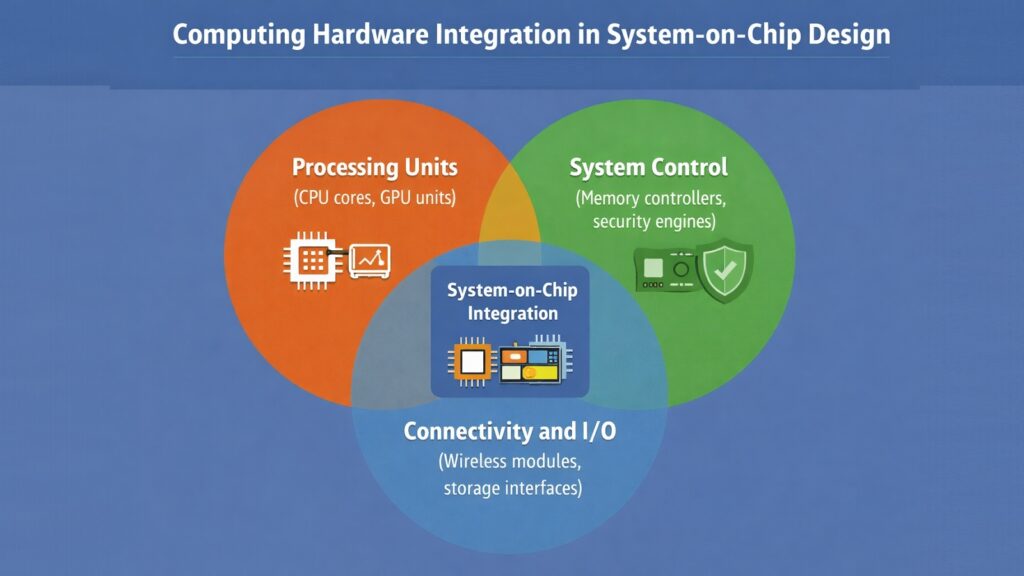
A System-on-Chip, or SoC, is a design that places multiple computing hardware components onto a single piece of silicon. Rather than having a separate CPU, GPU, memory controller, and communication subsystems on different chips, an SoC combines them into one compact and power-efficient unit. This approach has become the dominant model for mobile devices and is increasingly influential in laptops and embedded systems.
The efficiency advantages of SoC design come from proximity. When the CPU and GPU are on the same chip, data moves between them at very high speeds without having to travel across a motherboard bus. This reduces latency and power consumption simultaneously. Apple’s M3 chip, released in 2023, integrates a CPU, GPU, neural engine, and unified memory controller on the same die using a 3nm process node, achieving high performance at relatively low power draw.
Qualcomm’s Snapdragon series, MediaTek’s Dimensity chips, and Samsung’s Exynos processors are leading examples of mobile SoCs. These chips power billions of smartphones and tablets worldwide. They combine not only computing cores and graphics but also cellular modems, image signal processors, and dedicated AI accelerators. This level of integration reduces the number of separate components needed on a circuit board, which makes devices thinner and lighter.
SoCs are also making inroads in server computing. Amazon’s Graviton processors, for example, are ARM-based SoCs designed for cloud computing workloads. They offer competitive performance at lower energy consumption compared to traditional x86 server CPUs. As chip manufacturing processes continue to shrink, SoCs will accommodate even more functionality, making them a central trend in the future of computing hardware design.
Table 9: Computing Hardware — SoC Key Facts and Examples
| SoC Attribute | Details |
| Full Name | System-on-Chip |
| Primary Advantage | Integrates CPU, GPU, and subsystems on one die for efficiency |
| Apple M3 Process Node | 3nm (TSMC) — released 2023 |
| Apple M3 Components | CPU cores, GPU cores, Neural Engine, Unified Memory Controller |
| Mobile SoC Examples | Qualcomm Snapdragon 8 Gen 3, MediaTek Dimensity 9300 |
| Server SoC Example | Amazon Graviton4 — ARM-based, designed for cloud workloads |
| Power Efficiency Gain | SoC integration reduces data travel distance, lowering power use |
| SoC in Embedded Systems | Used in automotive, industrial, and IoT devices for compactness |
9. Computing Hardware and the Backbone Role of Motherboards
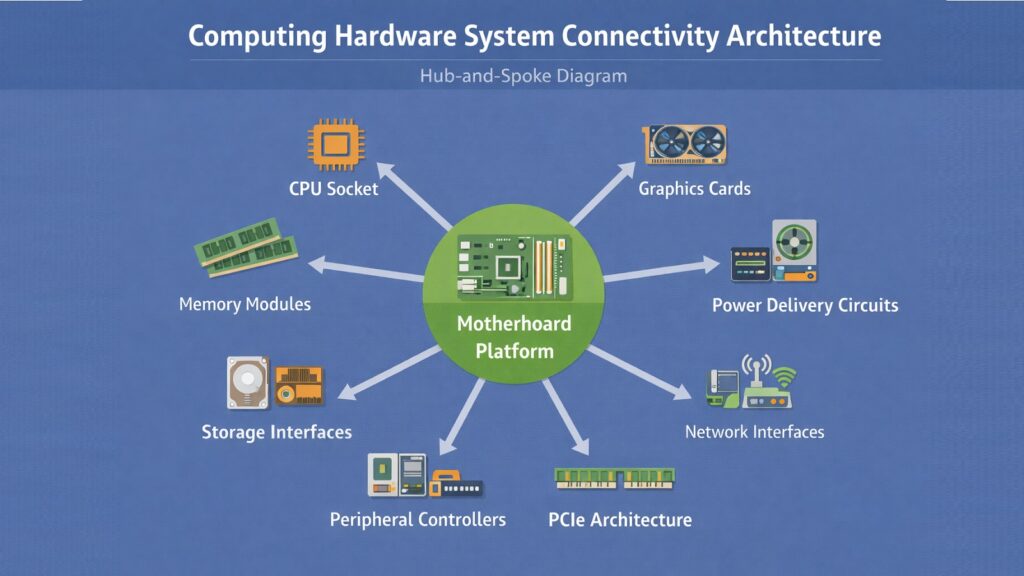
The motherboard is the central platform that holds all other computing hardware components together. It is a large printed circuit board that provides the physical slots, sockets, and connectors that allow components like the CPU, RAM, storage drives, and graphics cards to connect and communicate with each other. Without the motherboard, none of these individual components could function as a unified system.
At its core, the motherboard provides the CPU socket, which physically holds the processor and connects it to the rest of the board. Surrounding it are the RAM slots, typically two to eight in number depending on the board’s tier. Expansion slots, including PCIe x16 slots for graphics cards and x4 or x1 slots for other cards, allow the system to be extended with additional functionality. M.2 slots on modern motherboards accept NVMe SSDs directly without the need for cables.
Motherboard form factors determine physical size and compatibility. ATX is the standard full-size format used in most desktop builds. Micro-ATX offers a smaller footprint while retaining most features. Mini-ITX takes this further for compact builds, with one PCIe slot and two RAM slots. EATX boards are larger and typically used in workstations and servers. The choice of form factor affects how many components can be installed and how much room exists for cooling solutions.
The motherboard also carries the chipset, the power delivery circuitry for the CPU, and the BIOS or UEFI firmware. The quality of a motherboard’s voltage regulation module, or VRM, directly affects how much power can be delivered to the CPU consistently, which is particularly important for high-core-count processors or overclocking scenarios. Connectivity features like Wi-Fi 6E, Bluetooth 5.3, and 2.5 GbE Ethernet are increasingly integrated directly on premium boards.
Table 10: Computing Hardware — Motherboard Key Facts
| Motherboard Attribute | Details |
| Primary Role | Physically connects and enables communication between all components |
| CPU Interface | Socket (e.g., LGA1700 for Intel, AM5 for AMD Ryzen 7000) |
| RAM Slots | 2 to 8 DIMM slots depending on form factor and tier |
| Standard Form Factor | ATX (305 x 244mm) — most common for desktop builds |
| Compact Form Factors | Micro-ATX and Mini-ITX for smaller system builds |
| M.2 Slots | Accept NVMe SSDs directly via PCIe for high-speed storage |
| VRM Role | Voltage Regulator Module converts and delivers stable CPU power |
| Modern Connectivity | Wi-Fi 6E, Bluetooth 5.3, USB4, 2.5 GbE on premium boards |
10. Computing Hardware and the Significance of Power Delivery Systems
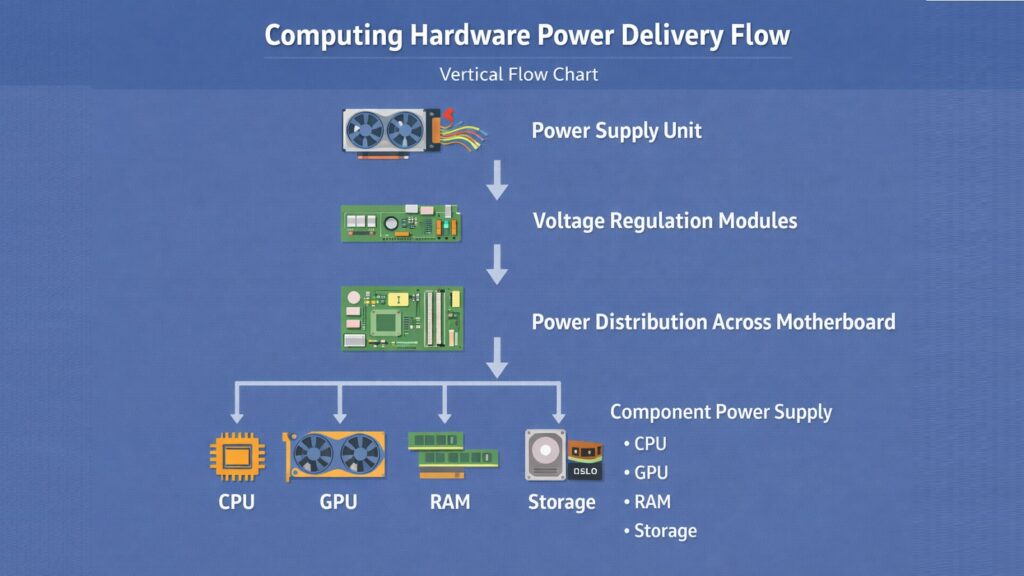
Every piece of computing hardware needs a reliable supply of electrical power to function. Power delivery systems ensure that the right voltage and current reach each component at all times. When power supply is unstable or insufficient, systems crash, data corrupts, and hardware can fail. The power delivery chain spans from the power supply unit at the source to the voltage regulators sitting right next to the processor.
The power supply unit, or PSU, converts alternating current from a wall outlet into the direct current that computer components use. Modern PSUs supply multiple voltage rails, primarily 12V for processors and graphics cards, 5V for storage and USB, and 3.3V for certain logic components. PSU efficiency is rated using the 80 Plus certification standard. An 80 Plus Gold PSU operates at roughly 90% efficiency under typical load, meaning less electricity is wasted as heat compared to lower-rated units.
On the motherboard, the VRM, or voltage regulator module, steps down the 12V supply to the much lower voltage a CPU actually needs — often around 1.0V to 1.3V. A high-quality VRM with more power phases provides cleaner, more stable power, which is critical for high-performance CPUs running at full load for extended periods. VRM quality has become a major differentiator between budget and premium motherboards.
Power management extends beyond stability into energy efficiency. Modern processors use sophisticated power states, such as Intel’s Speed Shift technology and AMD’s Precision Boost Overdrive, to scale voltage and frequency dynamically based on demand. When the processor is idle, it drops to very low power states. Under heavy load, it scales up. This kind of dynamic power management reduces energy consumption in data centers and extends battery life in portable devices, making it a critical element of modern computing hardware design.
Table 11: Computing Hardware — Power Delivery System Key Facts
| Power Delivery Attribute | Details |
| PSU Full Name | Power Supply Unit |
| AC to DC Conversion | PSU converts mains AC power to DC for system components |
| Primary Voltage Rails | 12V (CPU/GPU), 5V (USB/storage), 3.3V (logic components) |
| 80 Plus Gold Efficiency | Approximately 87–92% efficiency at 50% load |
| VRM Role | Converts 12V rail to CPU-required voltage (~1.0V to 1.3V) |
| VRM Phase Count | More phases provide cleaner power — important for high-core CPUs |
| Intel Power Management | Speed Shift technology scales CPU voltage and frequency dynamically |
| AMD Power Management | Precision Boost Overdrive adjusts clocks based on thermal and power headroom |
Conclusion: Computing Hardware as the Engine Powering the Digital World
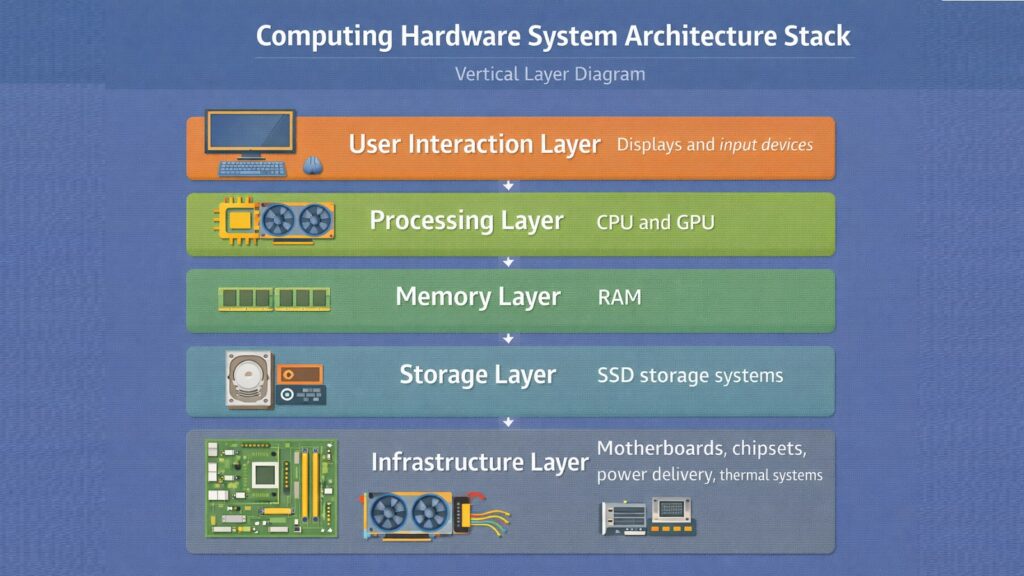
Computing hardware is the physical engine that makes the digital world run. Every application, every service, and every connected device depends on real components operating in harmony. Processors execute the logic, memory holds the data, storage preserves it, and a network of supporting hardware ensures everything flows together without interruption.
The ten components discussed in this article — CPUs, GPUs, RAM, SSDs, displays, chipsets, thermal systems, SoCs, motherboards, and power delivery systems — are not just individual parts. They are a system. The performance of each one affects the others, and the design choices made by engineers at companies like Intel, AMD, NVIDIA, Apple, and Qualcomm ripple across the entire computing landscape.
Understanding these components helps ordinary users make better decisions when buying devices, upgrading systems, or troubleshooting problems. It also provides a foundation for appreciating how rapidly computing hardware continues to evolve. Process nodes are shrinking, new memory standards are arriving, and integration through SoC architecture is accelerating. The hardware layer is not static. It is one of the fastest-moving areas in all of technology, and it will continue shaping what computing can do for years to come.
Table 12: Computing Hardware — 10 Components and Their Key Contribution to Modern Systems
| Computing Hardware Component | Key Contribution to Modern Computing |
| CPU (Central Processing Unit) | Drives all logical operations — the primary intelligence of any system |
| GPU (Graphics Processing Unit) | Enables parallel computing for graphics, AI, and scientific workloads |
| RAM (Random Access Memory) | Keeps active data instantly accessible, enabling fast multitasking |
| SSD (Solid State Drive) | Delivers near-instant storage access and long-term data durability |
| Display | Translates binary computation into visual output humans can use |
| Chipset | Coordinates data flow between all major system components |
| Thermal Management System | Protects hardware longevity and sustains performance under load |
| System-on-Chip (SoC) | Drives efficiency in mobile and compact computing through integration |
| Motherboard | Provides the physical and electrical foundation connecting the entire system |
| Power Delivery System | Ensures stable, efficient energy supply to all hardware components |